Choose a face recognition terminal supplier by checking how the quoted device handles enrollment, door access, installation, and daily administration. A working screen demonstration is only a starting point. Buyers need a documented configuration and an entrance test before approving a rollout. Uniwin-Global develops face-recognition access terminals and supports finished-goods, SKD, OEM, and ODM cooperation. For distributors and system integrators, the useful comparison is between complete delivery scopes: hardware, management software, integration work, and support responsibilities.
Start with a defined terminal role. The WO501 5-inch face recognition terminal serves attendance and access-control applications. WO701 and WO801 offer 7-inch and 8-inch formats. Screen size helps shortlist the physical device; it does not establish recognition performance, installation suitability, or software compatibility.
What should a face recognition terminal supplier demonstrate?
A useful supplier review follows a person through the entrance. Someone enrolls the user, assigns access, presents a face, receives a decision, and later removes the record. The system must also give staff a workable response when authentication fails. Evaluate these connected tasks before discussing branding or quantity pricing.
Hardware scope: exact model, camera arrangement, mounting method, power requirements, and door interface.
Software scope: enrollment, administrator permissions, event review, attendance export, and deployment responsibilities.
Acceptance evidence: sample configuration, test conditions, recorded exceptions, and agreed corrective actions.
Use the same checklist for every quotation. A lower unit price may exclude a platform component, mounting accessory, or integration task that another supplier includes. Ask for separate line items so procurement and engineering can compare equivalent configurations. Leave unresolved requirements visible in the quotation instead of assuming they will be included later.
Evaluate recognition at the intended entrance
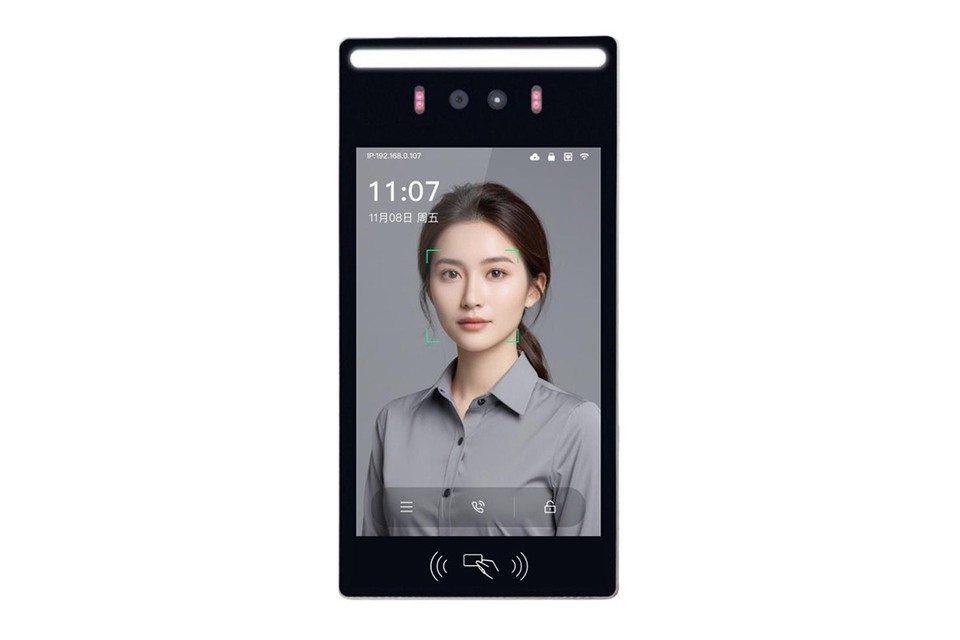
The WO501 uses a binocular wide-dynamic camera arrangement for face-recognition applications and includes liveness detection. These functions are relevant to entrances with changing illumination, but the installation still needs testing. Agree on the user’s approach direction, mounting position, and likely lighting before assessing the sample. Do not replace site evidence with an unqualified accuracy or speed claim.
An office entrance may need to distinguish an attendance record from a door-opening event. A campus entrance may need a clear visitor exception process. At a construction site, the mounting location and surrounding light may differ from a sheltered reception area. Treat these as test scenarios, then identify which functions and installation accessories the selected configuration requires.
During a sample review, use both enrolled and unenrolled people. Observe the prompts after a failed check and how staff recover the situation. Where the project requires liveness testing, agree on the test method with the supplier. Record outcomes under the actual conditions rather than treating one successful demonstration as proof for every entrance.
Check enrollment and records before integration
A terminal purchase creates an operating workload. Someone must enroll users, correct records, withdraw access, and answer questions about events. Define who owns each task. Ask the supplier to demonstrate the relevant administrator workflow with the platform and terminal configuration being quoted. A menu screenshot cannot show whether the process suits the customer’s staffing model.
Our attendance and access-control solutions support web or WeChat mini-program management, door-event uploads, and attendance-data export. Match those capabilities to the proposed deployment. An overseas project should establish which management interface its operators will use, which languages they need, and how administrators access the system across the customer’s network.
Keep face records, attendance entries, and access events distinct in the requirements. Database capacity should be confirmed for the exact terminal and software package. Ask how records are added, updated, removed, and synchronized. The project owner should also define biometric-data access and retention requirements under the rules applicable to the installation.
Inspect installation and door-control responsibilities
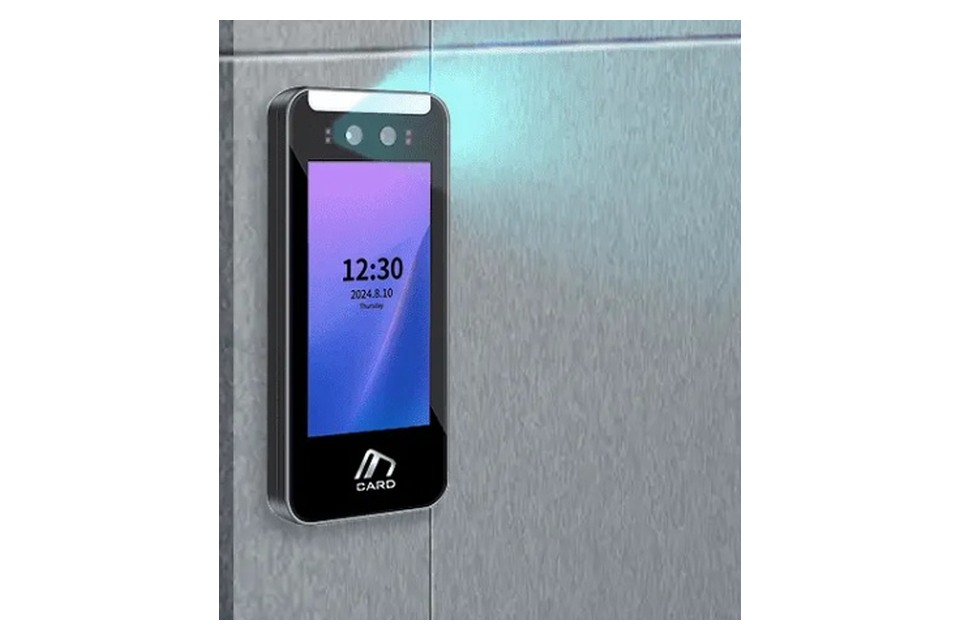
Installation drawings should explain how the device is mounted and how cables reach the terminal. Review the wall surface, available clearance, service access, and approach angle. Ask for the power and connection requirements of the quoted model. Do not infer protection ratings or electrical interfaces from photographs of a similar enclosure.
The door-control sequence needs its own review. Identify the terminal, controller, lock, exit device, and other equipment in the proposed arrangement. Establish which party selects and configures each component. Any connection to emergency release or building safety systems should follow the site’s approved design and be checked by the responsible installation team.
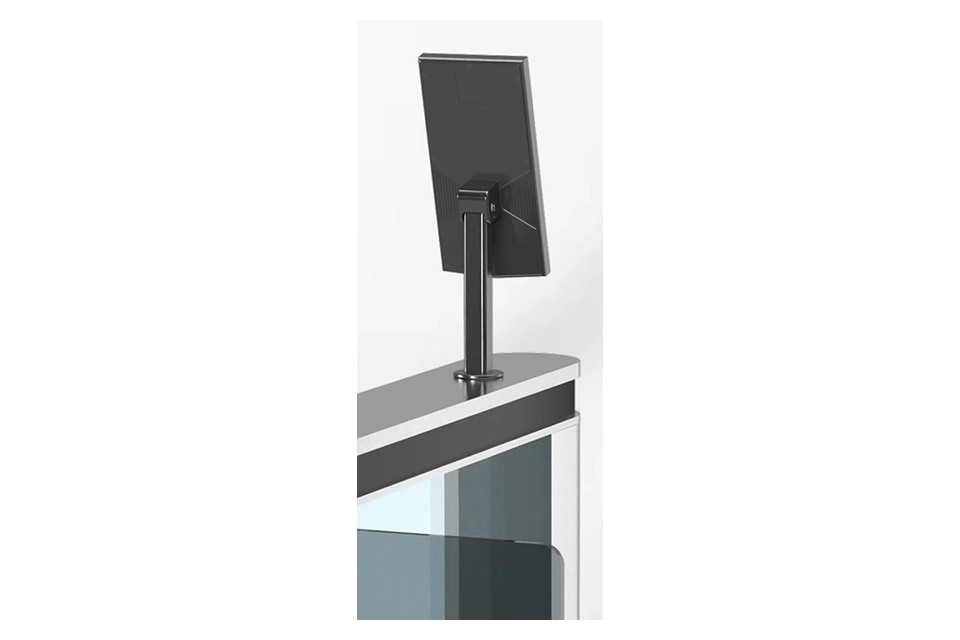
Projects that also require visitor calls may consider WO523M, a 5-inch combined SIP video intercom and face-recognition terminal, or the 8-inch WO802. Their role differs from a simple attendance checkpoint. A rear mounting view helps the installer examine physical access, while call routing and door-release permissions still require separate configuration checks.
Compare finished-goods and OEM delivery scope
Uniwin-Global offers OEM and ODM cooperation alongside SKD and finished-goods supply. Choose the cooperation model around the work your team can own. Define who handles assembly, enclosure changes, software configuration, testing, and installation support. A distributor buying complete terminals and an integrator developing a branded system need different handover packages.
Turn customization requests into reviewable requirements. Specify the desired interface language, branding position, screen workflow, mounting arrangement, or platform connection, then ask whether each change is supported. Separate a standard feature from development work. The quotation should identify the approved sample, included accessories, software components, and any work that remains with the buyer.
For an SKD project, document the supplied parts and the checks required after assembly. For finished goods, identify the device configuration and the installation information delivered with it. In both cases, ask how production changes are communicated and how replacement units are matched to the approved configuration. Confirm order quantities and schedules directly during quotation.
Agree on acceptance and support before volume orders
Run a representative entrance trial before releasing a wider order. Start with enrollment and a successful face check, then test access withdrawal, failed recognition, network interruption, and the approved fallback. Check where each relevant event appears. This sequence helps separate a camera or terminal issue from an administrator, network, platform, or door-controller problem.
Keep an acceptance record with the terminal model, firmware, platform version, wiring arrangement, test conditions, and open issues. Assign an owner to every unresolved point. A support request should carry the same information so the supplier can reproduce the problem. Agree on remote troubleshooting, replacement handling, and responsibility for onsite work in the commercial terms.
Build the trial around the decisions that could delay installation. For example, record whether an administrator can remove a departing employee and whether that change reaches the entrance as intended. Then check the event record for the same attempt. If several terminals share a platform, define how each device receives updates and how an operator notices a synchronization problem. These are acceptance questions for the proposed architecture, not assumptions about every network or platform.
Retain the approved configuration as a purchasing reference. Later orders should identify the same required functions, accessories, software dependencies, and mounting information, even when a component or firmware revision changes. Ask the supplier to explain proposed changes before shipment and identify any checks that must be repeated. This gives the distributor a practical handover record and helps the installer understand what has changed when a replacement terminal arrives. Include this reference in the handover to installation teams.
Conclusion
A face recognition terminal supplier should help the buyer turn an entrance requirement into an approved configuration. Compare the complete hardware and software scope, inspect installation details, and test the operator’s daily tasks before scaling. Uniwin-Global supports terminal supply and project customization across different cooperation models. Contact Uniwin-Global with your entrance workflow, management requirements, and preferred delivery scope to begin a model review.
FAQ
Q: What information should buyers send with a terminal RFQ?
Send the entrance type, intended users, enrollment process, door-control arrangement, network environment, and management requirements. Add mounting constraints and any branding or software changes. Ask for a model-specific response that separates standard functions, optional components, and development work. This gives procurement a clearer basis for comparing quotations.
Q: Does a larger terminal screen mean better face recognition?
No. Screen size affects the available interface area, but it does not by itself establish recognition performance. WO501, WO701, and WO801 provide different screen formats. Compare the quoted camera configuration, software, installation conditions, and required workflow, then test the selected model at the intended entrance before approving it.
Q: When should a buyer consider a combined SIP terminal?
Consider a combined terminal when the same entrance needs both face access and visitor calling. WO523M and WO802 belong to this combined product category. Define who receives calls and who may authorize entry, then verify SIP compatibility, management integration, and door-release behavior for the exact configuration being purchased.
Q: How can an integrator make supplier support more effective?
Keep the approved terminal model, firmware, platform version, wiring details, and acceptance record available. When a problem occurs, provide the observed behavior, conditions, and steps needed to reproduce it. Agree in advance which party handles platform configuration, third-party equipment, onsite checks, and replacement units so an issue reaches the right team.