A SIP video intercom with face recognition combines two jobs at an entrance: it supports a visitor conversation and an identity-based access workflow. The buyer still needs to specify those jobs separately. SIP call routing, face enrollment, door release, management software, and recovery when a call or network is unavailable each require their own acceptance check. Uniwin-Global offers WO523M as a 5-inch SIP video intercom and high-capacity face-recognition terminal, and WO802 as an 8-inch option in the same combined category. For each model, a project quotation should confirm the exact features, software components, installation requirements, and interfaces needed at the entrance.
The SIP video intercom terminal range includes products for different entry workflows. Before comparing models, describe what a visitor sees, who receives the call, and what permission is required to unlock the door.
Define the entry workflow before choosing a terminal
A building entry system serves several user types. Residents or employees may use a face check; visitors may call an indoor monitor, host, or management desk. Map these paths before deciding whether one combined terminal can support the desired experience.
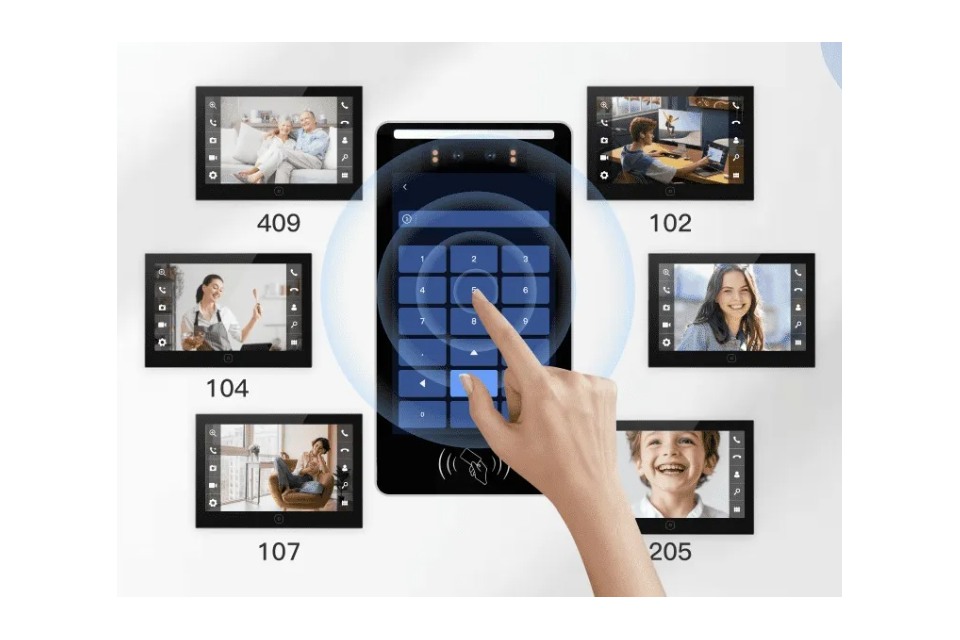
A clear workflow answers four questions: who may call, which endpoint rings, who can authorize a release, and how the system records the outcome. One-to-one calling and one-to-many calling create different routing needs. A site that routes calls to several apartments needs a directory and a way to select the right destination. A controlled workplace may use a staffed desk or an indoor monitor instead. These are project requirements to verify, not automatic consequences of choosing SIP.
Our apartment intercom solutions support SIP audio and video calling, one-to-one and one-to-many calling, face or card access, exit-button release, and cloud management. Match the solution workflow to a model-specific configuration before placing an order. Ask whether the selected WO523M or WO802 configuration supports the call pattern, door hardware, and management platform required at the site.
Understand what an integrated terminal changes
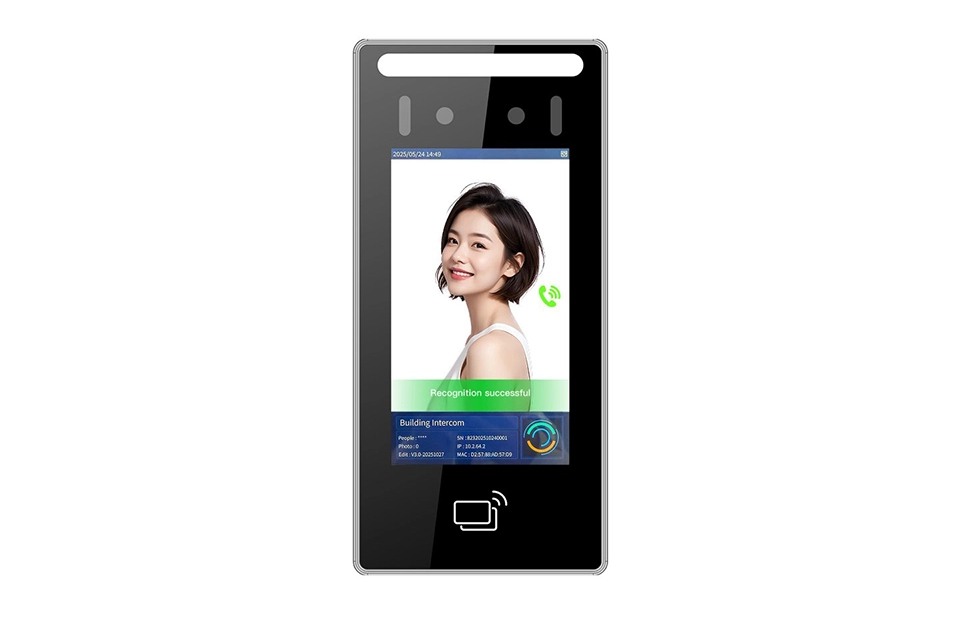
When intercom and face access share a terminal, the system can present one interaction point at the door. Confirm which functions run on the terminal, platform, PBX, network service, or third-party controller. Ask for a signal-flow diagram that shows the call route, release permission, and event record.
WO523M and WO802 combine SIP video intercom with high-capacity face recognition. An RFQ should identify the required SIP server, codecs, call limits, integration protocol, and access methods. Each item needs a model-specific response. Request the model-specific data sheet and compatibility details before selecting the terminal for a multi-building or multi-vendor project.
Choose the 5-inch or 8-inch option by site role
Choose between WO523M 5-inch SIP video intercom with face recognition and WO802 at 8 inches. Their sizes can help shortlist a form factor. They do not establish a difference in call quality, recognition speed, database capacity, or compatibility. Evaluate the intended user distance, wall space, screen prompts, and mounting position, then confirm the full device dimensions and feature matrix for each quoted model.
Test whether a first-time visitor can find the directory or call control. At a staffed lobby, check readability from the normal queue position. Review the actual screen layout and viewing angle on the quoted model; a diagonal measurement alone cannot answer those questions.
SIP video intercom with face recognition requirements
SIP compatibility needs more detail than the word SIP in a product description. Identify the customer’s PBX or SIP server, extension plan, and whether the intercom will register as one endpoint or several. Confirm the network rules, account provisioning process, and who supplies the call service. If the project includes multiple properties, ask how each site is named and administered. Keep these points in the RFQ so a supplier can respond against the intended environment.
Define call behavior for ordinary and exception cases. Which endpoint should ring during staffed hours? What happens if no one answers? Can a caller choose among several units? Does a resident use an indoor monitor, an app, or both? Which role is allowed to unlock the entrance? Answers will vary by building. The product configuration should follow those decisions rather than forcing the property manager to adapt its process after installation.
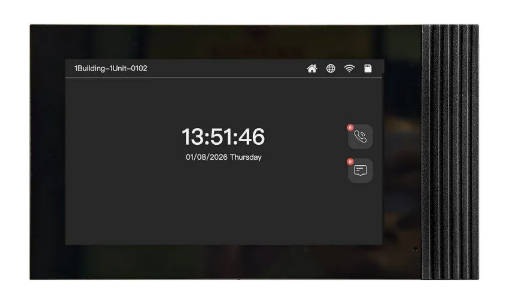
At the receiving end, Uniwin-Global’s WI701 is a 7-inch indoor monitor. Its supporting role is to give the resident or operator an indoor interaction point. Verify the chosen monitor and outdoor terminal together; product family names alone do not prove compatibility with the customer’s call service or unlock workflow.
Specify face access and the fallback path
Face recognition requires a defined enrollment process. Decide who can enroll residents or staff, how a record is removed when access ends, and how a person can enter when the camera cannot complete a check. A card, password, reception desk, or other method may be appropriate, depending on the project and the selected terminal’s supported options.
Clarify what a stated capacity counts and whether it belongs to the terminal or platform. For WO523M and WO802, obtain a model-specific capacity statement that identifies the software version, record type, and operating conditions. Do not substitute a solution-level figure for the quoted configuration.
Define the visitor fallback for failed checks, such as staff review or another credential. The operating team needs to know who sees alerts and who can act. The project owner should review local rules for biometric notice, consent, retention, and data access.
Confirm management and third-party integration
The terminal is one part of the system. Buyers should confirm whether face enrollment, visitor management, call routing, access permissions, and event review use one platform or several. Ask how operators create accounts, export attendance data when needed, and find door-opening records. Our access-control solutions support web or WeChat mini-program management, with MQTT, HTTP, or WebSocket integration available for supported deployments. Confirm which interface and deployment mode apply to the intercom configuration under review.
For WO523M, list every required interface and software component explicitly in the quotation.
Run a pilot around real entry conditions
Before a larger rollout, select one representative entrance and test the agreed call and access flows. Include a normal visitor call, an unanswered call, a successful face check, a failed check, and the approved manual fallback. Confirm that the indoor endpoint rings, the authorized user can perform the permitted action, and the event appears where the property manager expects it.
Test the system in the order a user experiences it. Confirm that the call reaches the expected endpoint, that the endpoint can answer, and that an authorized release command reaches the door hardware. Then check where the event appears in the management platform. Repeat with a no-answer case and a planned network interruption. This sequence helps the integrator distinguish a terminal issue from a PBX, platform, or door-controller issue during acceptance testing.
Record the exact terminal model, firmware, SIP server, and management platform used in the test.
Test actual user distance, lighting, mounting position, and screen prompts.
Verify call routing, busy or no-answer behavior, and the required unlock approval.
Check network access, event records, user enrollment, and administrator permissions.
Document any third-party equipment and the party responsible for configuration.
Conclusion
A SIP video intercom with face recognition should be specified as a complete entry workflow. WO523M and WO802 provide 5-inch and 8-inch integrated options, but buyers still need model-specific confirmation for SIP compatibility, authentication methods, capacity, door interfaces, and platform behavior. Define the call path, verify the access rules, and pilot the chosen configuration at a real entrance. Contact Uniwin-Global to review the model requirements and integration scope for your project.
FAQ
Q: What does SIP add to a face-recognition access terminal?
SIP supports voice or video communication between endpoints when they are configured for a compatible calling environment. In a combined entry device, it can support a visitor call alongside an access workflow. The buyer still needs to confirm the SIP server, call routing, endpoint behavior, and door-release permission for the chosen model and deployment.
Q: Are WO523M and WO802 different only in screen size?
WO523M is a 5-inch combined SIP intercom and high-capacity face-recognition terminal, while WO802 is an 8-inch model in the same category. Screen size alone cannot establish a full functional comparison. Ask for the model-specific feature matrix before assuming that their interfaces, capacity, or performance are otherwise identical.
Q: Can a combined terminal call multiple apartments?
Our apartment intercom solutions support one-to-one and one-to-many calling, with the routing arrangement defined for the project. Confirm whether the exact WO523M or WO802 configuration supports the required call directory, indoor endpoints, and call-routing setup. Multi-tenant projects should test calls to several destinations, including a no-answer case, before approving the rollout.
Q: How should a buyer verify compatibility with an existing SIP system?
Identify the PBX or SIP server, software version, endpoint plan, network rules, and intended call flow. Request the supported protocol and configuration details for the quoted model, then test with the customer’s actual environment. A general SIP label is not enough when a project depends on a particular server or integration partner.