
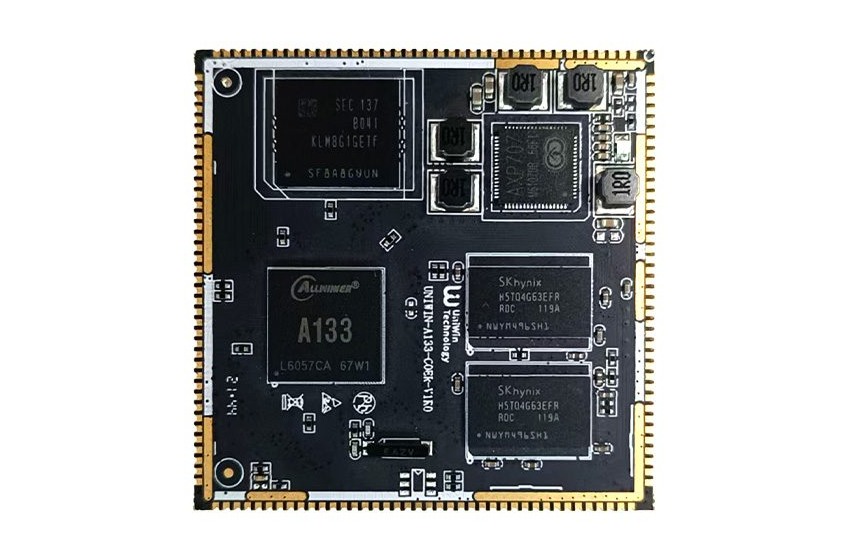
An Allwinner A133 core board should be evaluated against the display, peripherals, and Android application of the finished device. Processor speed alone cannot establish whether a panel will light correctly or a reader will communicate. Uniwin-Global offers the A133 platform with a quad-core, 64-bit Cortex-A53 processor running at up to 1.6 GHz. Its display and expansion interfaces give OEM teams a starting point for embedded terminal development. The next step is to match those interfaces to an actual connection plan.
Our Allwinner A133 core board supports single-channel or dual-channel LVDS display connections, or one MIPI display channel. It also provides three serial ports and two USB ports. Treat those figures as an interface inventory, then check signal definitions, software support, and mechanical access for the configuration being purchased.
Define the Allwinner A133 core board requirements first
Begin with the user interaction and work outward. A wall terminal, an industrial HMI, and a custom access device may all need a screen, but their touch input, external equipment, enclosure, and service access differ. A simple connection schedule makes those differences visible before a sample is ordered.
Display: panel model, LVDS or MIPI interface, resolution, touch connection, and backlight requirements.
Peripherals: device type, port assignment, electrical standard, connector, and application function.
Software: Android build, required drivers, custom APIs, and the application release used for evaluation.
Installation: board revision, mounting space, cable routing, power arrangement, and service access.
Keep the schedule attached to the quotation. It helps the motherboard supplier identify incompatible assumptions and gives the developer a clear list of devices to bring to the bench. Where a requirement remains open, record who will resolve it and which drawing or software package will provide the answer.
Match the panel to LVDS or MIPI
Display compatibility involves more than selecting the correct interface name. The panel requires a matching connector arrangement, signal mapping, timing configuration, and power sequence. Backlight and touch connections may follow separate paths. Give the supplier the panel specification and the intended cable design so the sample can be configured around the actual display.
Single-channel and dual-channel LVDS describe a display-link arrangement. They do not automatically establish support for two independent screens. If the product needs more than one display, present that requirement separately and obtain confirmation for the proposed architecture. Avoid making the enclosure or application depend on an output arrangement that has not been demonstrated.
The A133 interface inventory also includes two MIPI CSI interfaces. CSI relates to camera input; it should not be counted as an additional display output. A design with a MIPI screen and a camera therefore needs a connection review for both paths. Verify the camera module, driver, connector, and simultaneous operating requirements rather than assuming that matching abbreviations prove compatibility.
An HMI buyer should test the complete screen assembly. Check startup, touch orientation, brightness control where required, and recovery after a restart. A display that shows the Android home screen has passed an initial check, but the final application may reveal layout, input, or wake behavior that needs further configuration.
Allocate serial and USB connections deliberately
Three serial ports can support a useful peripheral plan, provided each connection is defined correctly. A reader, external controller, or service device may use a serial interface, but the electrical standard and protocol still matter. A port count does not establish RS232 or RS485 signaling. Check the quoted board configuration before connecting equipment or designing a cable.
For each serial device, identify transmit and receive directions, voltage levels, connector pinout, communication settings, and message format. Record which Android interface the application will use. If a conversion circuit or additional module is needed, include it in the design and quotation. This avoids discovering an unassigned conversion task during assembly.
Apply the same discipline to the two USB ports. List the devices required during normal operation and any equipment used only for servicing. A prototype can appear adequate when accessories are connected separately, yet expose a conflict when everything runs together. Test the intended combination with its actual power arrangement and application workload.
Distinguish expansion signals from finished connections
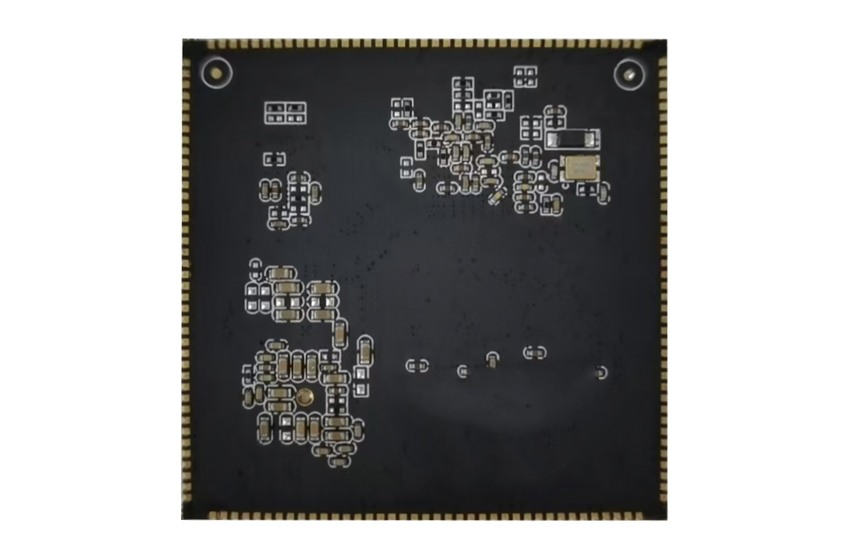
The A133 platform also includes two SDIO interfaces, RGMII, audio, and I2C. These names describe interface resources; they do not establish that a finished socket, network connector, radio module, or accessory is included in every delivery. Check the carrier arrangement and supplied components for the product version being ordered.
An OEM integrating the board into a custom terminal should identify the boundary between the supplied assembly and its own electronics. Mark the display, touch controller, network hardware, camera, and external control connections on one diagram. The diagram should also show which party supplies each cable, module, driver, or adapter. That boundary makes engineering changes easier to review.
Mechanical access deserves a check before the carrier or enclosure is frozen. Compare the sample with the assembly drawing, including mounting holes, connector positions, and cable exit directions. Leave room to insert and remove the intended plugs. Check cable bends with the enclosure closed, because an accessible connector on an open bench may become difficult to service inside the finished housing.
The production connection record should identify both ends of each cable. Label the board connector, mating part, signal assignment, and peripheral reference consistently across the drawing and purchasing list. If a harness supplier changes a connector or cable length, review the effect with the hardware team. A photograph helps an assembler recognize the arrangement, but cannot replace the electrical drawing.
Validate the Android application with the hardware
Uniwin-Global supplies the A133 with an Android system and custom API support for application development. Confirm the Android release, software package, and API functions included with the quotation. Do not assign an Android version from another motherboard to this platform. The application team needs the build and documentation that belong to its sample.
A useful bench test follows a real user task. Start the application, operate the touch screen, read the required peripheral, and observe the expected response. Repeat after a restart and after reconnecting external equipment. Record errors at both the application and device-interface levels so the development team can distinguish a wiring issue from a driver or application issue.
Run the complete peripheral set during startup as well as normal operation. Observe whether the display, attached devices, and application reach their expected states with the proposed supply and wiring. Repeat using the intended shutdown procedure. Record the test conditions so a later sample can be compared fairly with the approved configuration. Keep this record with the sample for subsequent reviews.
Agree on the OEM handover and sample checks
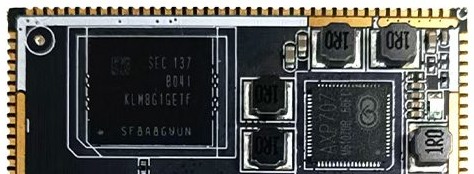
Our OEM and ODM services support projects that need a defined hardware and software delivery scope. Specify whether the requirement is a board, an assembly with accessories, or a more complete terminal. Branding, screen workflow, carrier changes, and platform connections should each have an agreed scope before development begins.
Keep the approved sample configuration available for later purchasing. Record the board revision, software build, panel, cable drawings, peripheral assignments, and test results. If a component or firmware revision changes, identify the affected checks before approving substitution. Procurement can then compare equivalent packages instead of comparing board prices that cover different responsibilities.
Conclusion
The Allwinner A133 core board provides a defined processor and interface foundation for embedded Android projects. A practical evaluation connects that foundation to the real panel, serial equipment, expansion hardware, and application. Resolve the electrical and software boundaries during the sample stage, then retain a configuration record for production. Contact Uniwin-Global with your panel specification and peripheral schedule to review the proposed integration.
FAQ
Q: Does dual-channel LVDS mean the board drives two screens?
Not automatically. Dual-channel LVDS describes a link arrangement and should not be treated as proof of two independent display outputs. Give the supplier the intended panel count and display behavior. Obtain confirmation for the proposed configuration and test it before finalizing the enclosure or application layout.
Q: Are the three serial ports automatically RS232 or RS485?
No electrical standard should be inferred from the port count alone. Confirm the signal level, pinout, connector, and required conversion hardware for the quoted configuration. Also check the communication settings and application interface for each peripheral. A correct connector shape does not establish electrical or protocol compatibility.
Q: What should an OEM send for an A133 display review?
Send the panel specification, intended LVDS or MIPI connection, resolution, touch arrangement, backlight requirements, and cable drawing where available. Identify the application and installation orientation as well. The review should establish which components, software settings, and drawings are included in the sample package and which remain with the buyer.
Q: Can the A133 be evaluated without the final application?
Basic hardware checks can begin earlier, but they cannot replace a test with the intended application and peripherals. Use the sample to confirm display startup, touch behavior, and device communication, then repeat the operating workflow with the approved Android build. Keep unresolved application requirements visible before authorizing production.