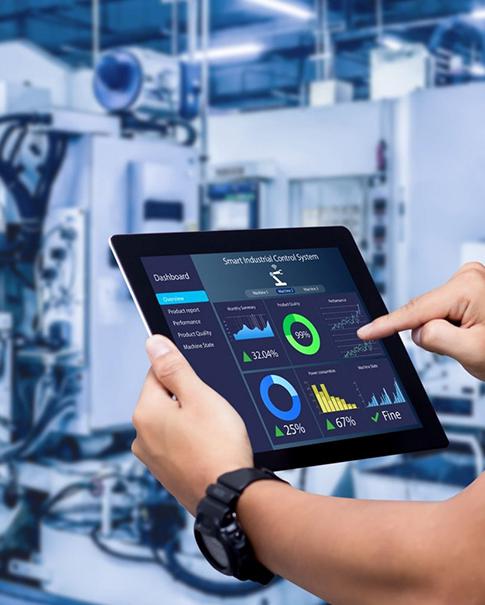
Traditional lockers are simple to use, but managing a large number of lockers in high-traffic public environments can create significant operational challenges, including key management, locker allocation, access control, and manual customer support. Lost keys, manual locker allocation, limited access tracking, and frequent requests for staff assistance can increase operational costs and reduce the efficiency of locker management. These issues also ruin the experience for guests. A smart locker system solves these problems. It integrates identity verification, electronic lock control, locker status monitoring, event logging, and network connectivity into a unified system.
Uniwin-Global develops IoT devices and integrated intelligent solutions, combining embedded hardware, firmware, application software, communication interfaces, and system-level integration. We also focus on smart retail, self-service tools, and custom embedded computing. For any smart storage project, this full-system strategy is vital. Every part, from the terminal and locker controller to the network and software logic, must work together without fail.
What Is a Smart Locker System?
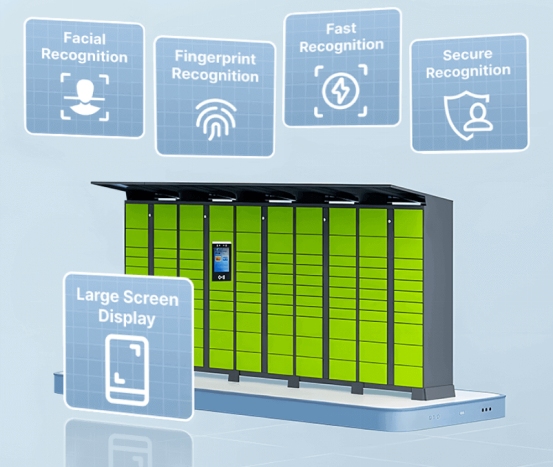
A smart locker system is an electronically controlled storage solution that uses digital authentication, electronic locks, sensors, and management software to control access to individual locker compartments. It identifies the person using it and assigns or confirms a specific box. Then, it unlocks the right door and tracks the storage activity based on set rules. A full setup typically includes a main terminal, sensors for authentication, control boards, and electronic locks. It also relies on management software and a stable network connection.
The true benefit is not just getting rid of keys. These systems manage the link between the person, the box, and the timing. They keep track of who has access and what the current status of each unit is at all times.
How Does a Smart Locker System Work?
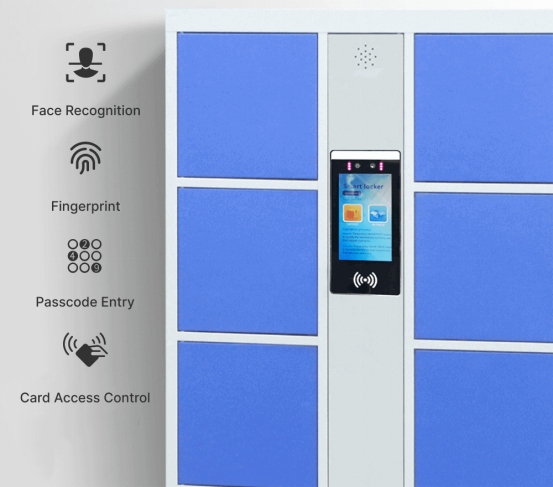
The journey starts when a user proves who they are at the main screen. Depending on how the system is set up, they might use their face, a finger scan, or a digital code. They could also swipe a card or type in a PIN.
After that, the software finds an empty locker or finds the one already in use. Some setups pick a box automatically. Others use fixed numbers or specific spots for certain people. Once the system confirms the user is allowed in, the electronic lock pops open.
When the user puts their bag inside and shuts the door, the system remembers that specific transaction. When that person comes back, they verify their identity again. If everything matches, the correct door opens so they can grab their items.
This flow works great in busy spots. Users do not have to worry about losing a key. Meanwhile, managers get a much clearer picture of how the storage space is being used.
Which Authentication Methods Can Smart Lockers Use?
Every location has different needs. Face recognition is great because it is touchless. Fingerprints offer a very secure biometric choice. QR codes are perfect for quick, one-time use or mobile apps. RFID and IC cards are often the best pick for staff or regular members. Passwords stay as a reliable backup or secondary option.
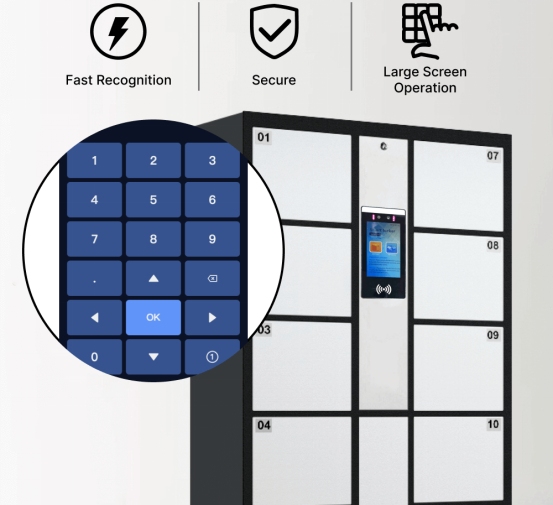
The WR711 7-Inch Face Recognition Locker System handles all these methods. It supports face scans, fingerprints, QR codes, passwords, and cards. The face check is extremely fast, taking less than a second. Plus, it includes liveness detection. The liveness detection function helps mitigate presentation attacks, such as attempts to authenticate using photographs or other spoofing media.
Because of this variety, owners do not have to stick to just one way of doing things. They can pick the best method based on their specific security needs and how their customers behave.
Smart Locker Management Features and Functions
Checking IDs is only half the battle. Managers also need tools to handle daily tasks. This includes opening doors in emergencies, managing expired storage sessions and clearing occupied lockers, or giving certain people permanent spots. Some applications may require a single user to be assigned multiple locker compartments simultaneously.
The WR711 7-Inch Face Recognition Locker System makes these tasks easy. It allows staff to unlock a single door from a distance or clear out all lockers at once. It also supports “intermediate pickup.” Intermediate pickup allows users to temporarily reopen an occupied locker to retrieve or add items without terminating the current storage session. It handles fixed box numbers and can grow larger by adding more control boards.
These features are crucial because real-life use is rarely simple. A guest might forget something and need to open the door briefly. An employee might need a dedicated space every day. Having flexible software makes these situations easy to manage.
Can a Smart Locker System Support Paid Storage?
Many public lockers run as a business. They can be free, require a fee, or use a mix of both. Smart locker systems can support different pricing models, including fixed per-use fees, time-based pricing, tiered rates, and free-use configurations.
The WR711 can support locker applications that use time-based or per-use billing, depending on the system software and payment integration.
This is a big help for malls, train stations, and theme parks. Before starting, owners should decide when the timer starts and if there is a grace period. They also need a plan for what happens if a payment fails.
Connectivity and System Expansion
Being online is a major part of the design. The terminal communicates with a central management server to synchronize user data, locker status, access records, configuration settings, and system alerts.
The WR711 7-Inch Face Recognition Locker System connects via Ethernet or Wi-Fi. It also has an option for 4G. This provides additional connectivity flexibility for locations where wired network access may be limited or unavailable. It also supports expansion boards, so you can add more doors as your business grows.
The hardware is quite powerful. It features a 7-inch touch screen with a sharp display. Inside, a dual-core AI processor runs on Linux to keep things smooth. The dual-camera configuration and auxiliary illumination are designed to improve facial recognition performance under challenging lighting conditions, including low-light and high-brightness environments.
Where Are Smart Locker Systems Used?
Smart lockers are used in a variety of public and commercial environments, including transportation hubs, shopping centers, fitness facilities, amusement parks, campuses, and retail locations, subject to local security and operational requirements.
How to Choose the Right Smart Locker System
At Uniwin-Global, we help with everything from the outer shell design to the internal software. We handle testing, assembly, and even custom packaging.
This full service means you get a finished product that is ready to work, rather than just a collection of parts.
A Practical Example: WR711 for Smart Locker Projects
The WR711 7-Inch Face Recognition Locker System is a dedicated tool for modern storage needs. It is built to survive heavy use in public places.
The system can recognize 5,000 faces, and you can upgrade it to hold 20,000. It also keeps a massive log of up to 200,000 events. It blends high-tech security with practical tools like remote unlocking and batch clearing. Whether you need to charge for time or offer free storage, the software is ready to adapt.
For those building or buying locker systems, this hardware provides a solid foundation. It links the person’s identity directly to the physical storage space without any friction.
Conclusion
Smart locker systems are very effective facilities for today’s world. They provide security, ease of use, and management in a single solution. They cover everything from the initial scanning process to the pickup and payment.
Uniwin-Global offers an integrated solution with respect to hardware, firmware and software. If your project requires robust face recognition or efficient management, the WR711 7-Inch Face Recognition Locker System can be considered as a terminal and management solution for smart locker applications. Contact us today to learn more.
FAQ
Q: How does a smart locker know which compartment belongs to a user?
A: The software creates a digital link between your ID and a specific door number. When you scan your face or card again, the system looks up that link and opens the right door.
Q: Can one user access more than one locker?
A: Yes, if the manager allows it. The WR711 7-Inch Face Recognition Locker System has a setting for this. This feature is useful when a user needs multiple locker compartments for additional personal belongings.
Q: Can a smart locker system charge users for storage?
A: Yes. The system can track time and calculate a fee. The WR711 7-Inch Face Recognition Locker System supports different payment models to fit your business goals.