
The shift from old-school keys and cards to modern biometric checks has changed security standards in buildings. AI Face Recognition Access Control systems deliver strong protection and ease of use, which makes them common in smart setups. Yet, their real value comes from careful setup and steady care. At Uniwin-Global, we know a top device works well only in the right spot. As an IoT smart device maker started in 2016, Uniwin-Global has spent years blending solid services with tough hardware. This guide helps property managers and tech installers with key steps for setup and care tips to boost system life and precision.
Ideal Face Recognition Hardware Setup
Optimal Mounting Height and Camera Angles
Top accuracy starts with where you place the unit. For binocular face recognition devices like the WO801 (8 inch outdoor station), set the camera lens 1.4 to 1.6 meters above the ground. This spot catches most adults’ faces in a straight view. A height that’s too high or low twists face shapes, which slows checks or causes misses.
Strategic Placement for Smooth Traffic Flow
Access systems should secure doors without slowing people down. Place units such as the WO101 (10 inch outdoor station) where folks stop naturally, like by door knobs or elevator buttons. Leave room for someone to stand 0.5 to 1.5 meters back. That way, the AI processes the face before they touch the door, creating an easy walk-in flow.
Managing Detection Distance for Binocular Terminals
Binocular tech in models like the WO501 (5 inch outdoor station) uses two lenses for depth sense, key for spotting fakes, and live checks. Keep the detection zone free from moving items in the background, such as swinging bushes or busy glass doors that might set it off by mistake. Adjust the sense range in settings so it wakes only when a person steps up on purpose.
Mastering Lighting for Recognition Accuracy
Balancing Ambient Light for Dual-Lens Cameras
Our units have wide dynamic HD cameras that handle different settings, but light matters a lot. Aim for steady room light at the install spot. Steer clear of spots with blinking overhead lights or deep shades for devices like the WO802 8-Inch SIP Video Intercom. Those can hide small facial details needed for good matches.
Mitigating Strong Backlight and Direct Sunlight
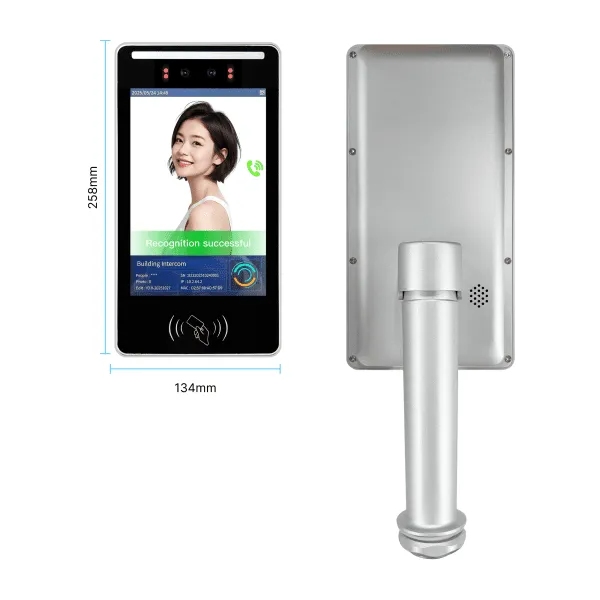
A big issue in setups is backlighting, where light behind the person darkens their face like a shadow. Uniwin-Global units fight this with wide dynamic tech, but for best work, add a sun guard or tilt the unit away from straight sun on the lens. Outdoors, the WO501 Smart Life Video Intercom & 5-Inch AI Access Terminal takes tough light, though smart placement speeds things up in real spots like sunny gates.
Optimizing Performance in Low-Light Environments
At night or in dim halls, the setup uses IR or white fill lights. Units like the WR501 (5 inch attendance terminal) turn these on when the light fades. To help, add simple ceiling lights at entrances. This gives the AI a clearer picture and makes late entries smoother for users in quiet buildings.
Network Configuration and System Stability
Ensuring Reliable SIP Protocol Connectivity
Solid links form the base of smart setups. Uniwin-Global focuses on SIP solutions for clear two-way talk and video. The local network needs a steady speed for video feeds.
Managing High-Capacity Local and Cloud Databases
Projects vary in size. The E518-V board holds up to 5,000 faces, fitting small apartments or offices well. For big sites like communities or busy offices, use the WO523M with more power. Check that the local data syncs with the cloud platform, so new users join and old ones leave right away.
Integrating Third-Party Protocols via MQTT and HTTP
Flexibility stands out in the Uniwin-Global lineup. Devices handle HTTP, MQTT, and WEBSOCKET standards. This lets installers link hardware to other systems or WeChat apps for remote opens. Set these right during setup, and the AI Face Recognition Access Control unit joins a full smart building network.
Essential Access Control Maintenance Tips
Regular Hardware Inspection and Lens Cleaning
As with any sharp optical gear, clean the lenses on our units now and then. Dirt, prints, or watermarks on a WO801 camera cut accuracy fast. Do a monthly look-over and wipe the lens with a soft microfiber cloth free of lint. Also, check the case for damage or meddling to keep the tough build solid.
Monitoring System Stability and Liveness Detection
Security demands spotting real faces from photos or videos. Our units use liveness checks to block spoofs. Test it often by trying a clear photo on the system.
Uniwin-Global Expertise in Professional Deployment
Comprehensive Technical Support and Troubleshooting Services
We offer more than gear; we provide help for smooth projects. Uniwin-Global has a quick tech team that answers in 2 hours and fixes in 48. This speed keeps residential systems running non-stop, like during a busy move-in day.
Customized Solutions for Complex Project Scenarios
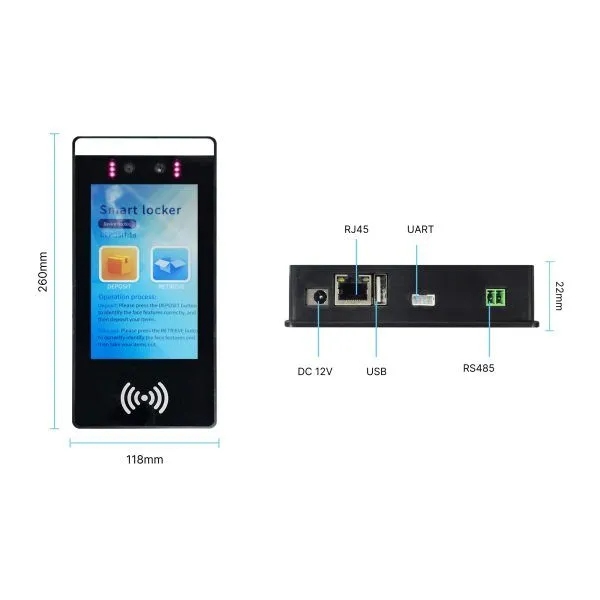
Buildings differ in needs. Our OEM/ODM work tailors boards and full units. Pick a 7-inch WR711 for lockers or a split WI704 indoor screen, and we match hardware and software to your setup, such as in a varied campus.
Conclusion
Setting up and caring for an AI Face Recognition Access Control system invests in safe, quick property access. Follow steps like right heights for the WO801 and light control for the WO501 to get secure, easy entries. Uniwin-Global partners with builders and managers globally, supplying strong units and know-how for lasting security. Our focus on tough builds, with 1-year board warranties and low flaw rates, brings trust in a system that holds up. When good hardware pairs with skilled setup, you build a safe, smart space.
Ready to implement a world-class security solution? Contact Uniwin-Global today to consult with our experts on the best AI Face Recognition Access Control for your next project.
FAQ
Q: Does the AI face recognition system work if the internet goes down?
A: Yes, Uniwin-Global terminals are designed for reliability. Many of our devices, such as those utilizing the E830-V motherboards, feature offline face recognition technology.
Q: How do binocular cameras help with security compared to single-lens cameras?
A: Binocular cameras, found in models like the WO501 and WO801, provide depth perception similar to human vision. This is crucial for “liveness detection,” which allows the system to distinguish between a real person and a 2D photograph or video of a person. This prevents unauthorized entry using “spoofing” methods, providing a much higher level of security than standard single-lens terminals.
Q: Are the terminals durable enough for outdoor use in extreme weather?
A: Our outdoor stations, such as the WO501 and WO801, are designed for harsh environments. They feature wide dynamic cameras that adapt to extreme lighting (strong or weak light) and are built with industrial-grade materials to ensure stability.